Log a check, the operator gets an instant Telegram alert, disputes are resolved in a live chat, and every error rolls up into analytics. One real-time workspace for the whole QA cycle — built on a modern Postgres backend that scales across offices, shifts and hundreds of operators.
Each module below is a real screen in the dashboard — no add-ons and no per-seat upsells.
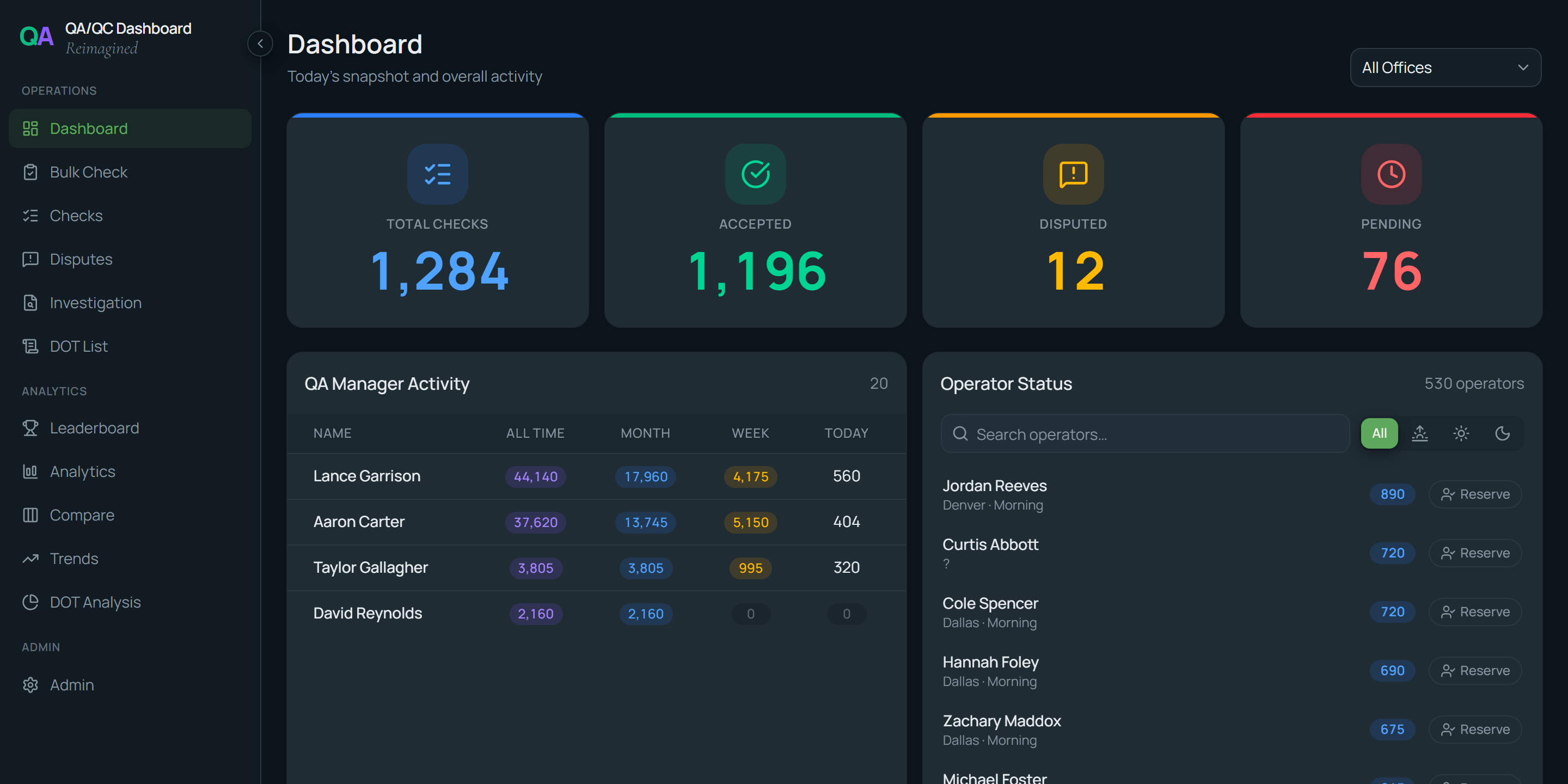
Today's checks, accepted vs. disputed vs. pending, and per-manager & per-operator activity at a glance.
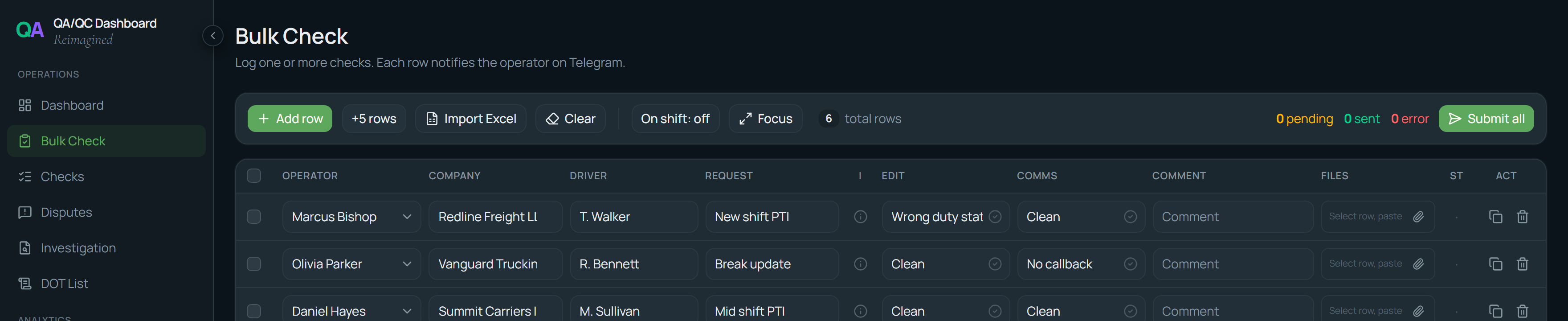
Log dozens of checks at once, paste screenshots into rows, or import an Excel file. Each manager has its own queue.
Operators are notified instantly with the case, the mistake, and one-tap Fixed / Acknowledged / Dispute buttons.
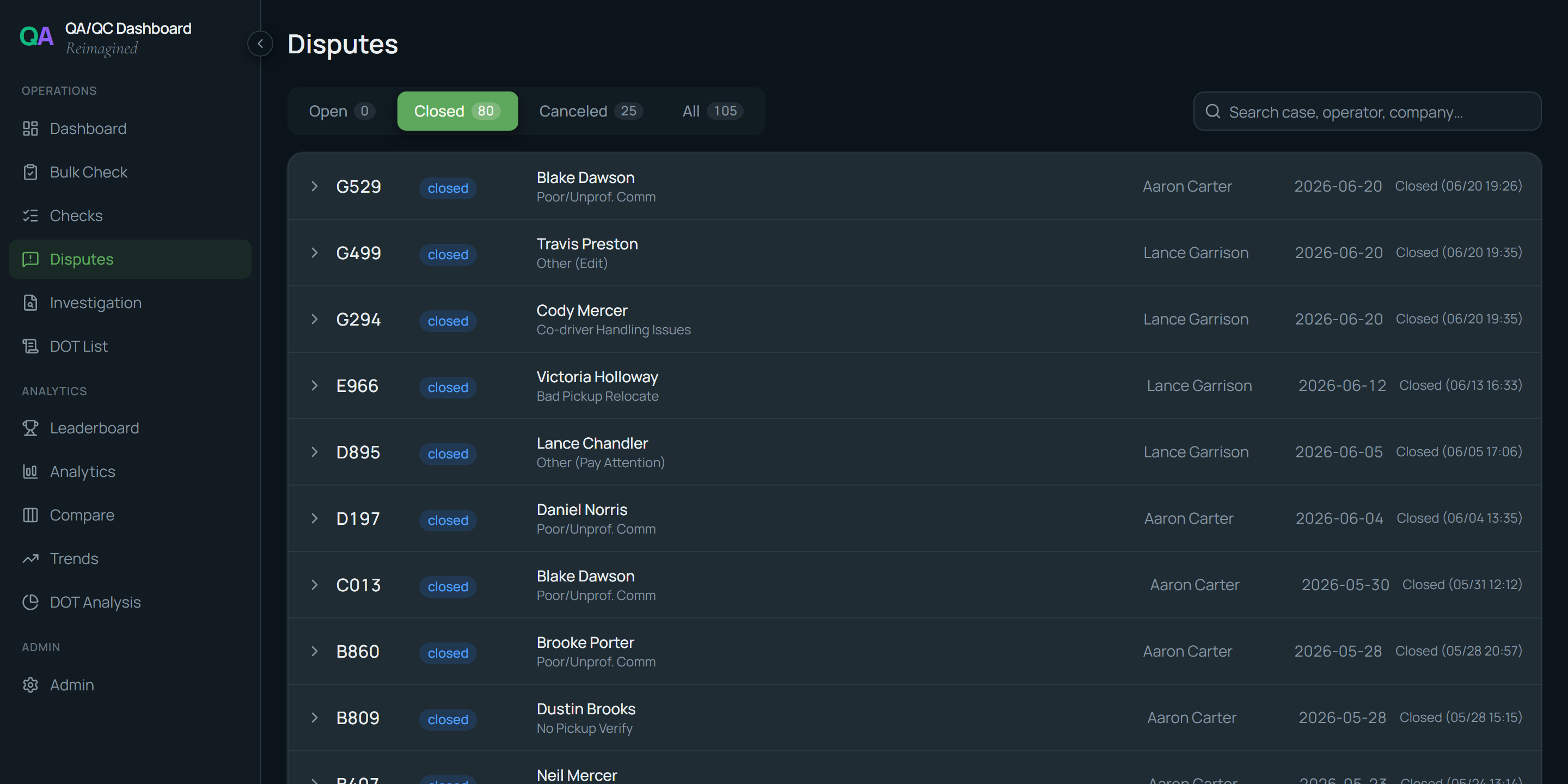
A full dispute lifecycle with a live operator ↔ QA chat, closed-or-canceled outcomes, and an audit trail.
Record negative DOT inspections, tag who's at fault, attach proofs, and auto-alert the operators involved.
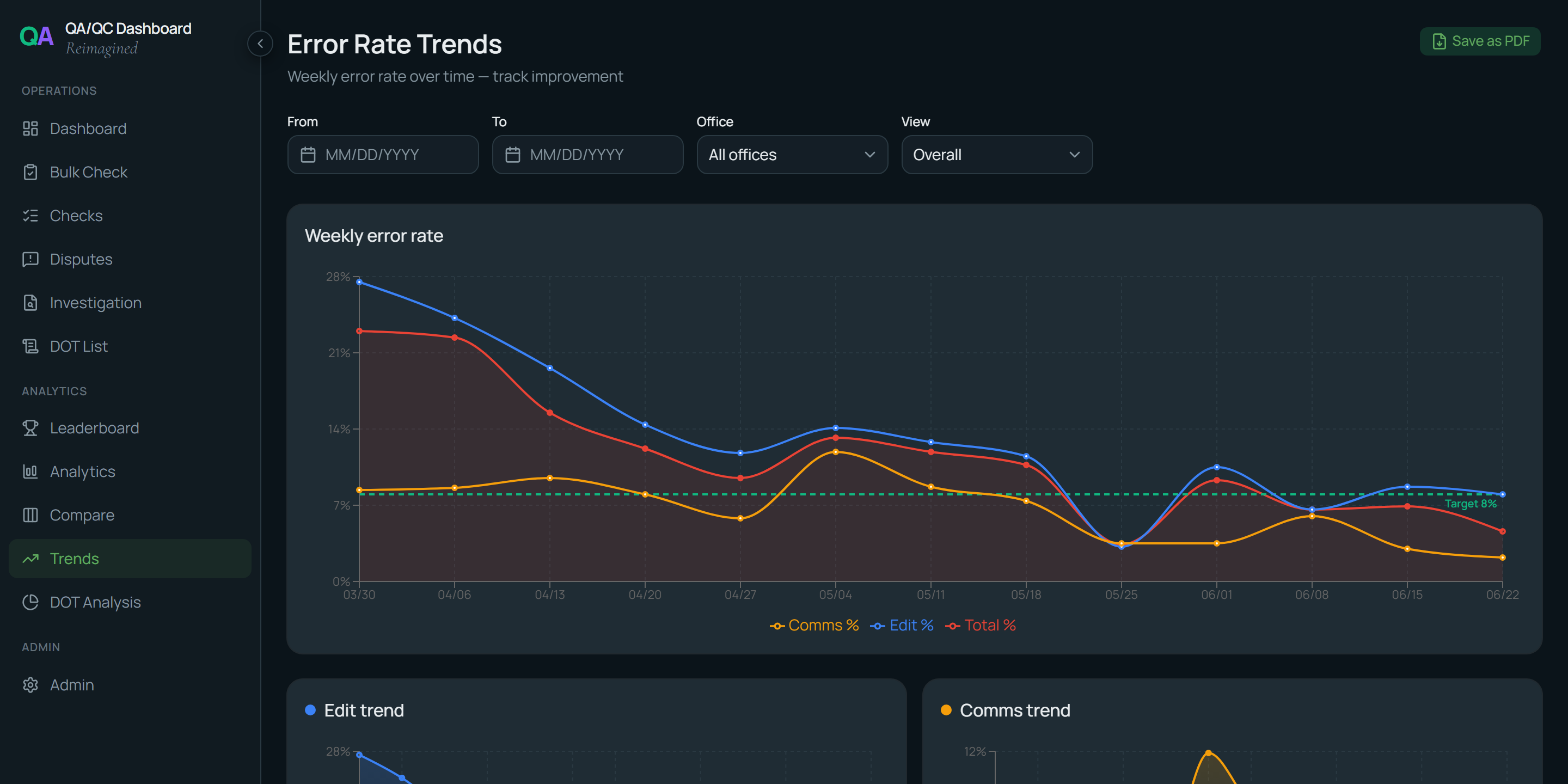
Error rates by operator, shift & office, Edit vs Comms breakdowns, month-over-month and weekly trends.
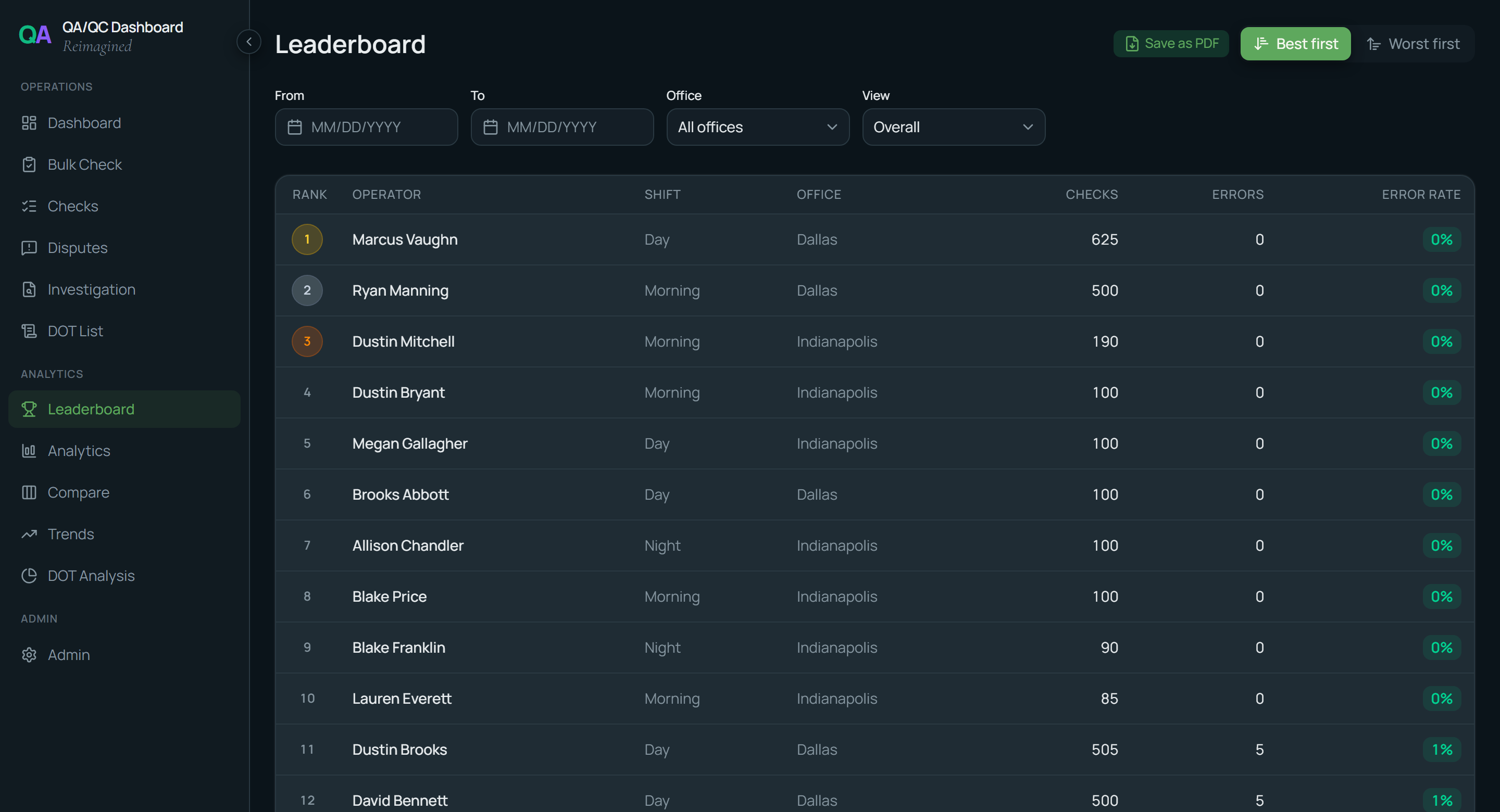
Rank operators by error rate with shift & office filters and a one-click PDF export for reviews.
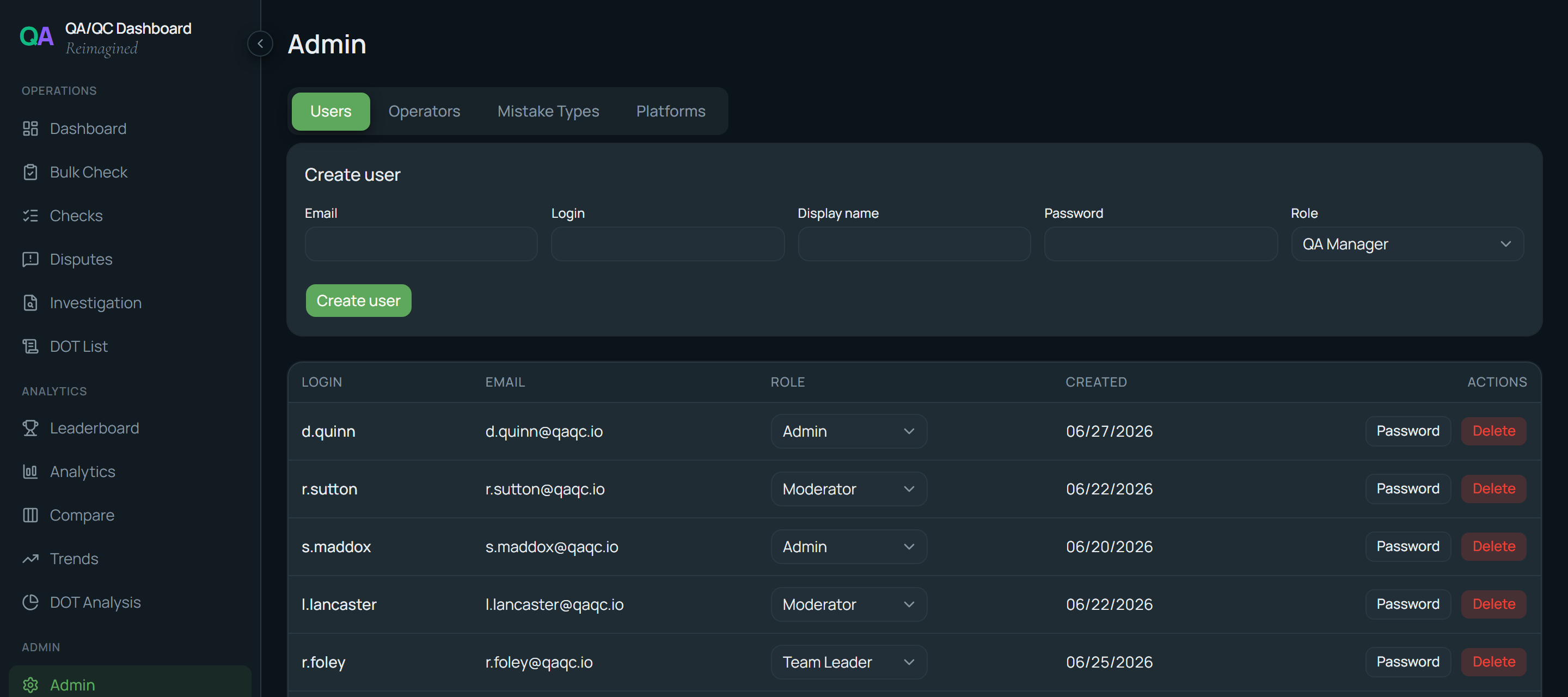
Admin, Moderator and QA Manager roles with hashed-password login and built-in user management.
A single backend call builds the dashboard — today's KPIs plus the full month of activity — so it stays fast even under heavy daily volume.
The Bulk Check grid is built for speed — add rows, autocomplete operators, drop an Edit or Comms mistake into each, and submit them all in a queue that's yours alone.
Click any attached image and a built-in editor opens — circle the mistake, draw an arrow, point right at it, then save. The annotated version is what the operator receives.
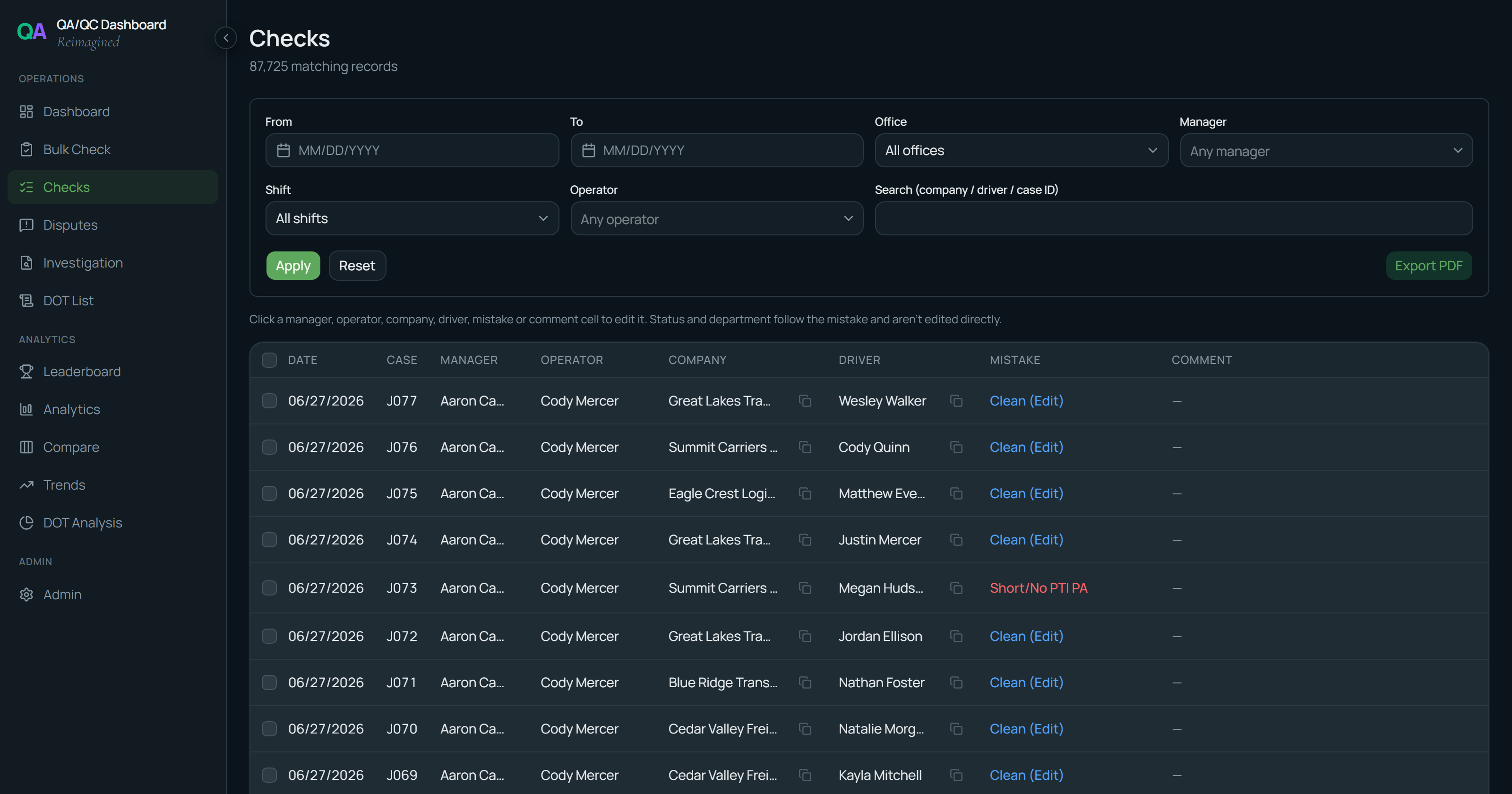
The Checks page is your system of record — every check ever logged, filterable in a click and editable inline. Find anything by company, driver or case ID, then export exactly the view in front of you.
The moment a check is logged, the operator gets the case in their own chat — with the file attached and the buttons to respond. No new app to install.
Every check generates an atomic Case ID (A001 → Z999) and a message the operator can act on in one tap.
/mystats and /mytrend to get their own charts.Sunbelt CarriersM. SullivanWhen an operator pushes back, a QA manager accepts the case and a live chat opens between them — relayed through the admin group. Every case ends as Closed (error stands) or Canceled (error removed and the check marked clean).
Operator opens a dispute — the request lands in the admin group.
A manager accepts and a live chat opens, both sides relayed.
Error stands — the record is unchanged, operator notified.
Error removed, check flipped to clean, original preserved.
Managers can close a case right inside Telegram, or open the Disputes page to filter Active / Pending / Resolved and act there. Both paths write the same audit trail.
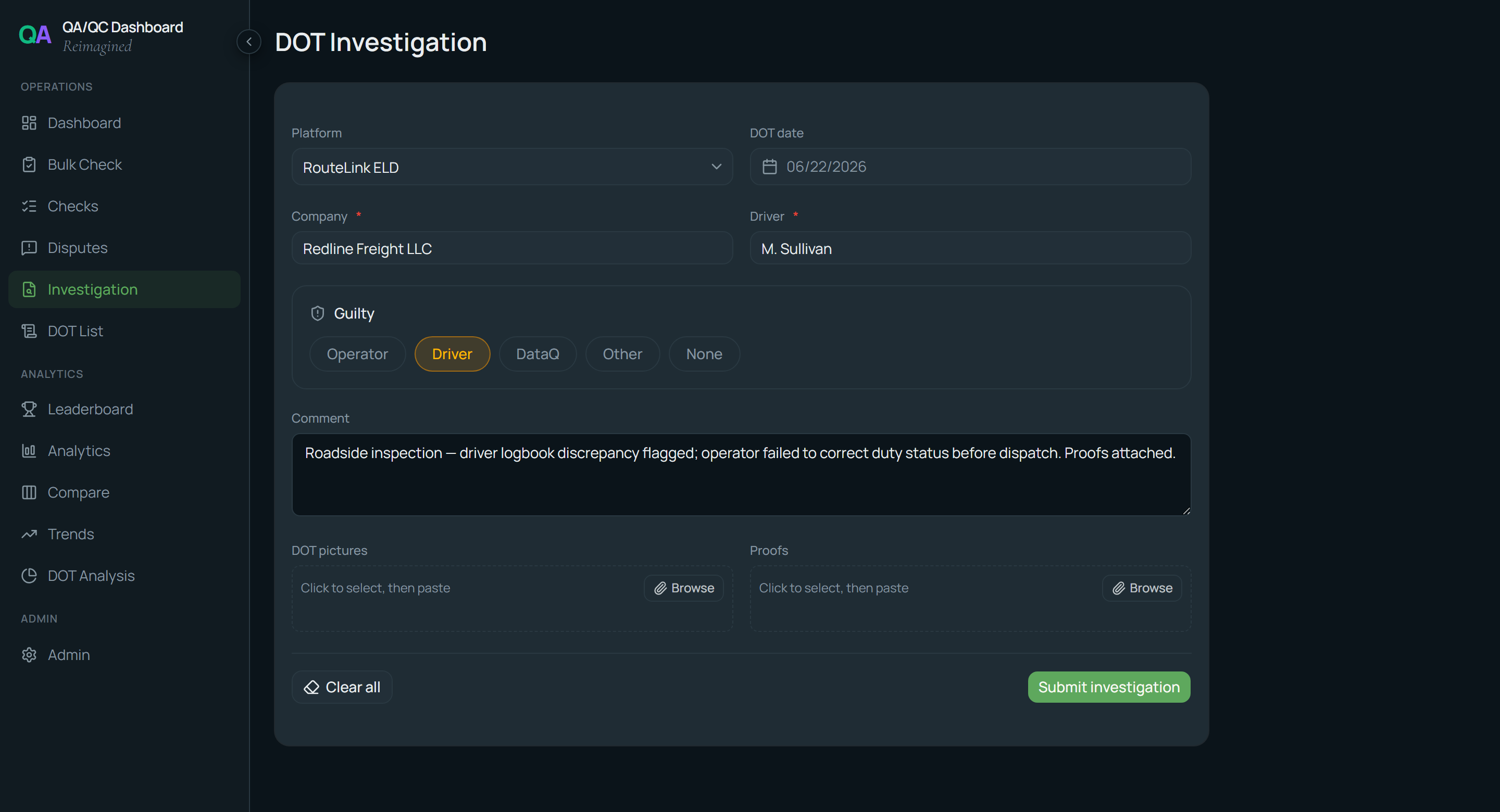
Log a negative DOT inspection, attribute fault with rich badges, attach the inspection picture and your proofs — and the operators involved get an automatic heads-up in Telegram.
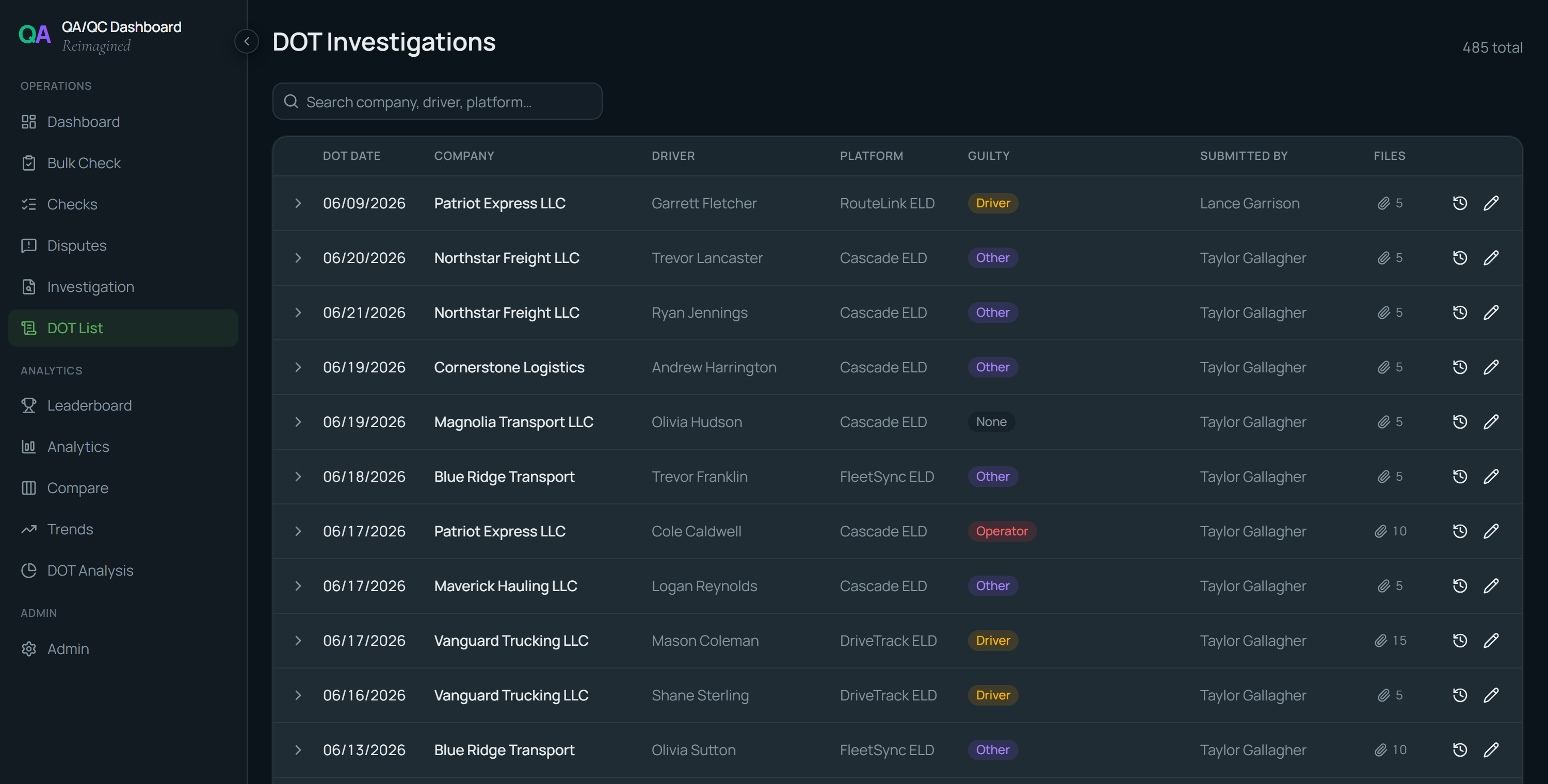
All logged inspections in a single searchable table — company, driver, platform, who was at fault and who filed it — each row expandable to the full record with attachments.
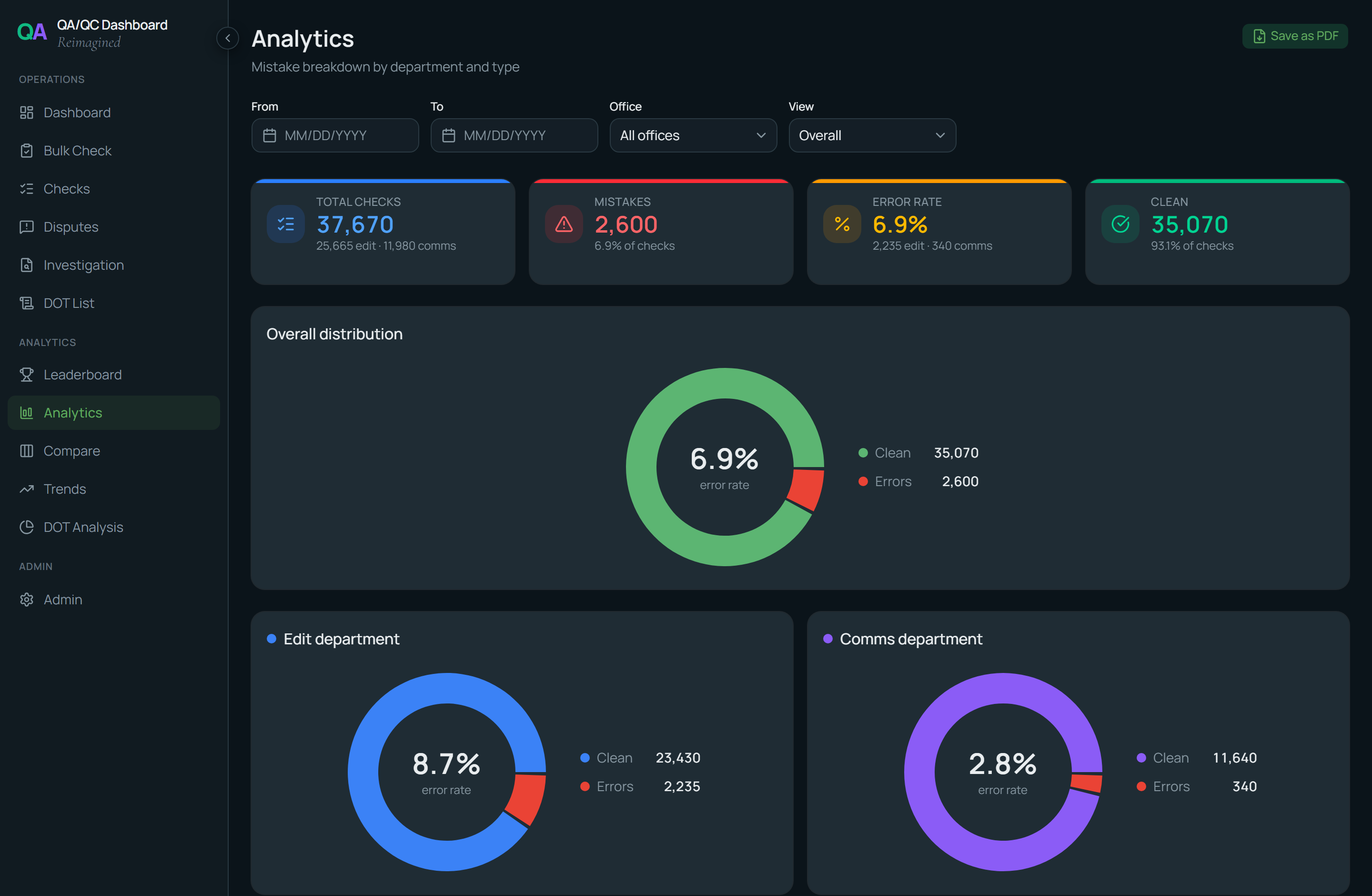
Slice performance by operator, shift or office across any date range. Edit and Comms are tracked separately so you always know where the errors actually are.
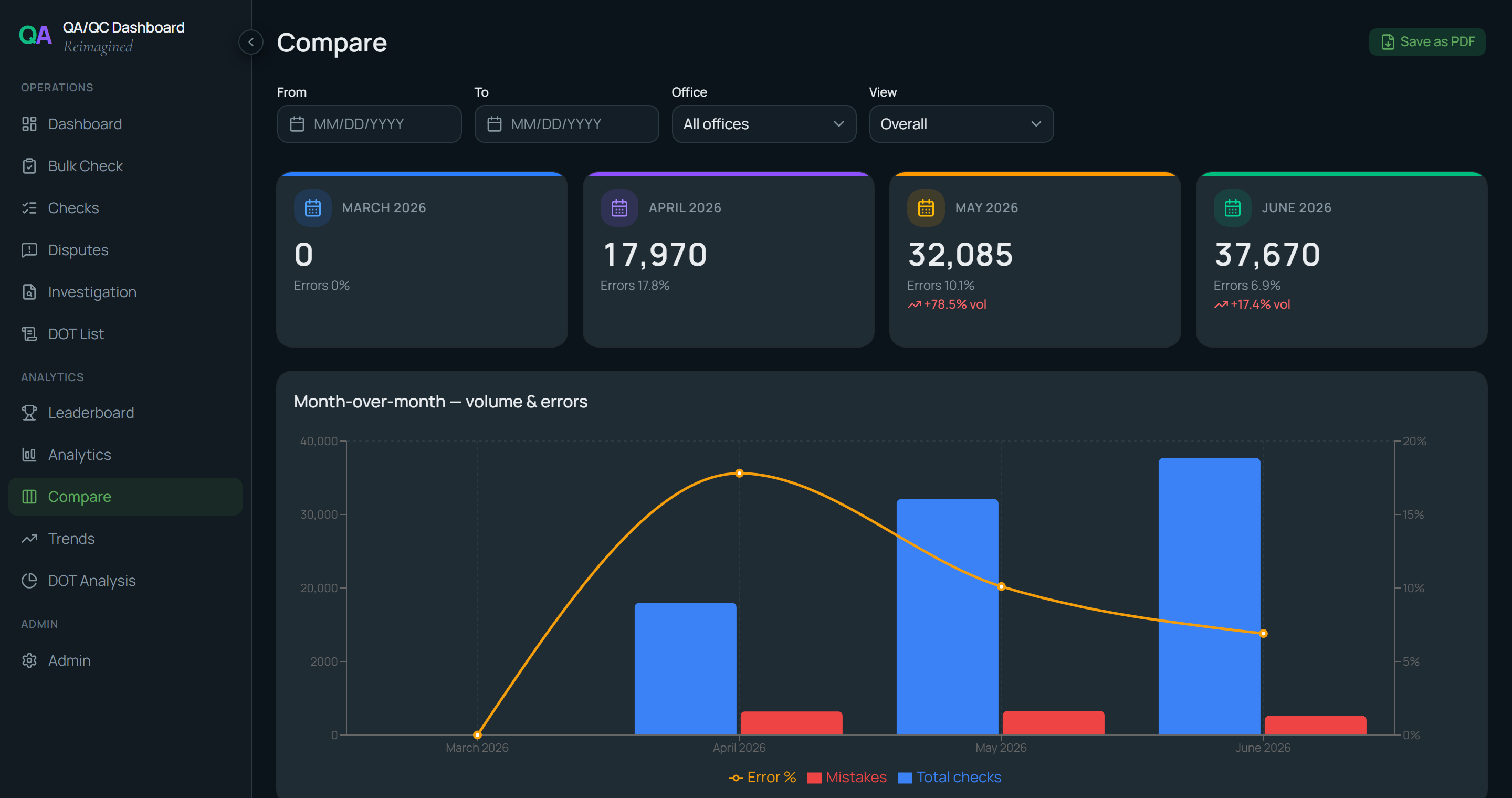
Stack any months against each other — total volume, mistakes and error rate per month, with volume-change badges and a combined volume-and-errors chart.
A leaderboard ranks operators by error rate with shift and office filters, and exports to PDF for one-on-ones.
Weekly error-rate and volume on one chart, plus a ranked list of the most frequent mistakes so coaching targets pick themselves.
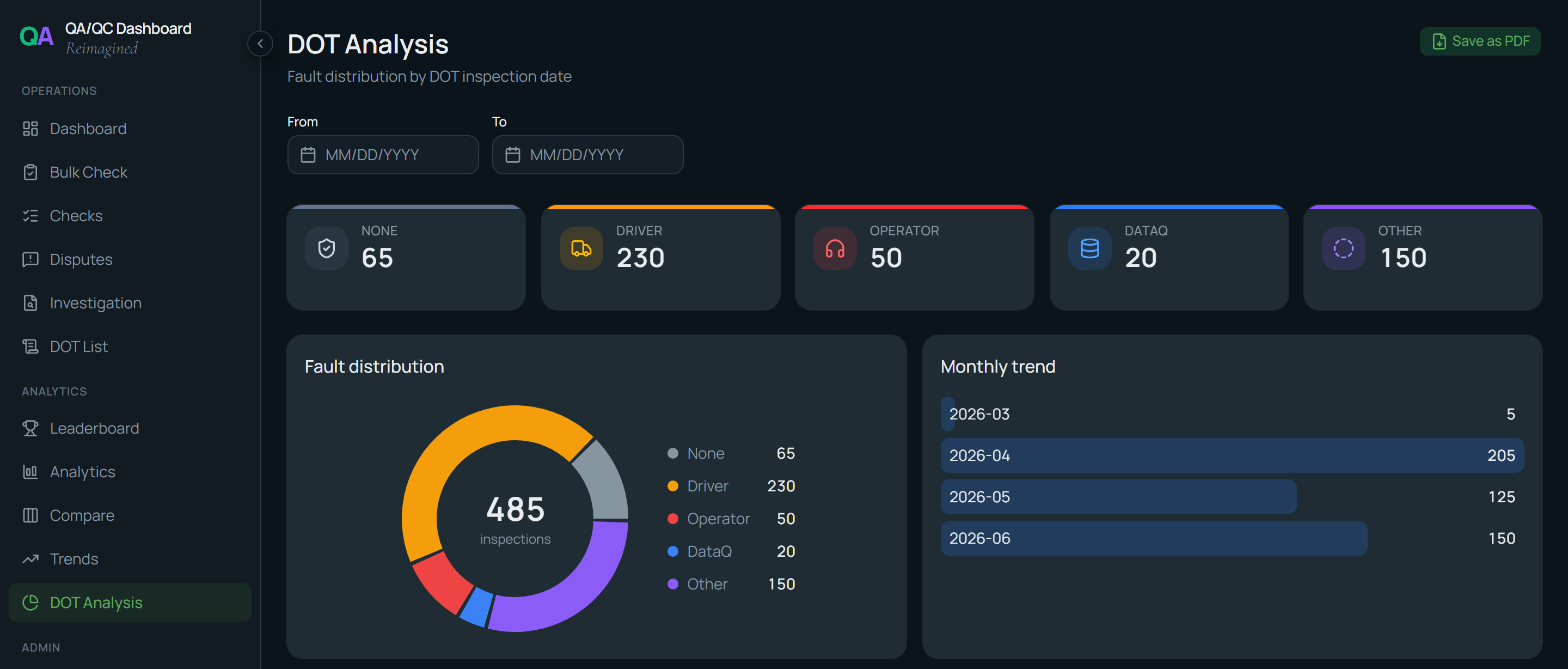
Investigation statistics and a guilty breakdown across any date range — so you can see exactly where negative inspections come from.
Hashed-password login and a built-in user manager. Every role sees exactly what it should — here's who can reach what.
A built-in admin area to create users and assign roles, manage operators with their shifts and offices, and curate the mistake types and platforms the whole system runs on.
The flagship platform runs on Next.js with a Postgres backend — relational data with row-level security, real-time updates, typed file storage and one-tap Telegram. No spreadsheets to babysit, no row limits to hit. Deploy it managed in the cloud or self-host it on your own server.
Most teams run the flagship cloud platform. If you want a zero-budget, Google-native setup for a small team, the Apps Script edition runs the same core QA loop inside your own Google account.
A QA manager records a check — single or bulk — with the mistake, a comment and any file.
An instant Telegram message lands with the case, the file and one-tap response buttons.
The operator confirms, or opens a live dispute chat that a manager resolves fairly.
Every outcome flows into dashboards, leaderboards and trends — automatically.
Proven in production and ready to adapt to how your team works. Message me on Telegram and let's set up a walkthrough with your real data.